

.webp)
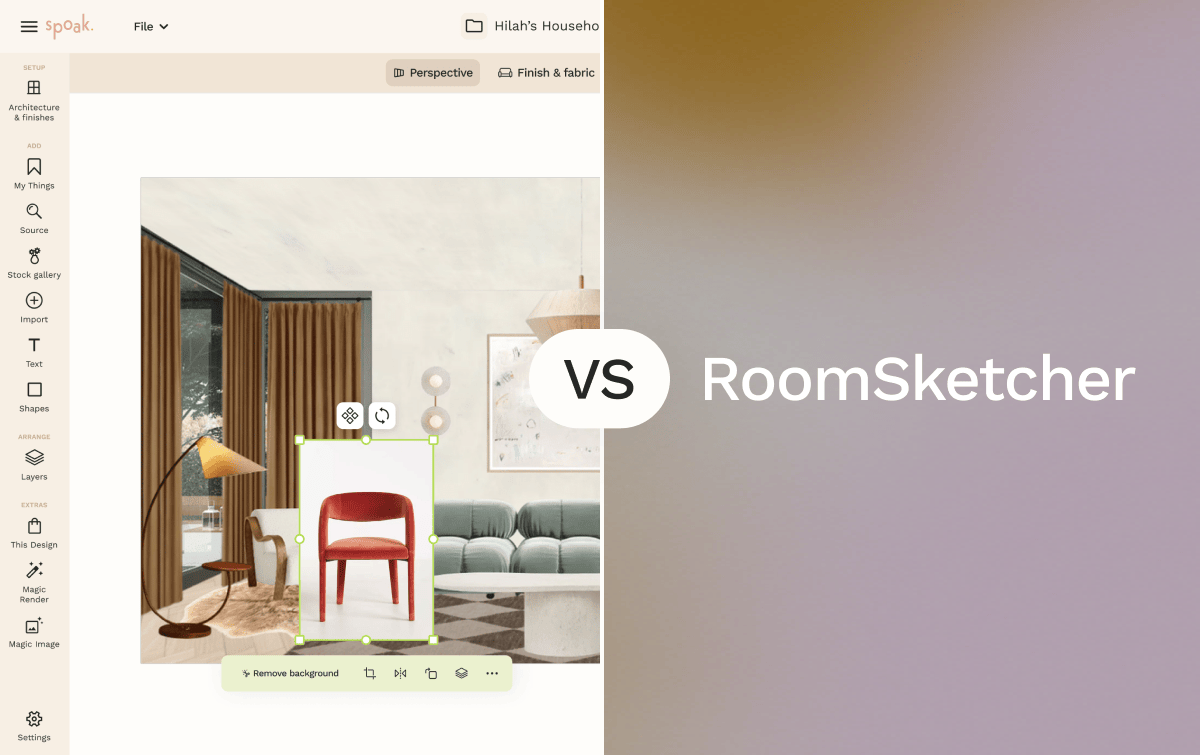
Spoak is an online interior design platform built for room visualization, decorating, sourcing, and planning. It combines creation tools — including Viz for room mockups, Floor Plans and Elevations, and the Magic Tools suite — with sourcing, project management, and business features in a single web-based platform. Spoak is designed for beginner to professional interior designers who want to move from concept to presentation without switching between tools.
RoomSketcher is a floor plan and home design software focused on creating accurate 2D and 3D floor plans for residential and commercial spaces. It is available as a web app and desktop application for Windows and Mac, as well as an iPad app, and is used primarily by real estate professionals, interior designers, contractors, and homeowners planning renovations. RoomSketcher offers a credit-based output system and a professional floor plan drawing service alongside its self-service tools.
If you’re deciding between Spoak and RoomSketcher, the right choice depends less on which tool is “more advanced” and more on what you’re designing, who it’s for, and what you plan to do with the output.


| Feature | Spoak | RoomSketcher |
|---|---|---|
| Primary focus | Interior decorating, sourcing, and visualization | Accurate 2D and 3D floor plan creation and property visualization |
| Ease of use | Web-based, no download required; drag-and-drop interface across all tools | Web and desktop app; drawing interface suited to users familiar with floor plan tools |
| Room visualization | Lifelike room mockups via Viz; Magic Background Edit for real-room canvas; photorealistic output via Magic Tools | 3D Photos, 360 Views, and Live 3D walkthroughs generated from completed floor plan projects |
| Floor plans | 2D floor plans with ruler measurements and elevation views | 2D and 3D floor plans with dimension labels, scale options, and blueprint import; LiDAR room scanning via FloorCapture (iOS) |
| Magic tools | Magic Tools suite: Magic Background Edit, Magic Asset (custom floor plan symbols), smart design customization | Automated blueprint conversion (AI Convert): upload an existing blueprint to generate an editable floor plan; FloorCapture LiDAR scanning for iOS |
| Furniture and decor sourcing | Integrated product sourcing with real brand inventory; Sourcing Supershop; Collections and Wishlists | Not included; furniture library is for visualization use only and is not linked to purchasable products |
| Asset library | Curated furniture and decor assets linked to real product inventory | 7,000+ furniture pieces and decor options across all room types |
| Collaboration | Team accounts for design firms; shared project workspaces via Business Hub | Team plan supports multiple users with shared credits |
| Project and business tools | Project Hub (budget tracking, shop lists), Business Hub (client management, invoicing, approvals), Portfolio and Design Shop | Project-level organization within the app; no built-in invoicing or client management tools |
| Design documentation | Mood boards, room mockups, floor plan exports, client presentation boards | High-resolution floor plan exports, 3D Photos, 360 Views, and branded PDF floor plans |
| Device access | Web only (all browsers) | Web, Windows desktop, Mac desktop, iPad |
| Pricing model | Free tier available; paid plans for additional features | Free tier; Pro and Team paid plans with credit-based output system |
| Best suited for | Interior designers, decorators, and design professionals managing full project workflows | Real estate professionals, renovating homeowners, and designers whose primary deliverable is a floor plan document |
Spoak is designed for users at any experience level, with a browser-based interface that requires no installation and no prior design training. The drag-and-drop Viz tool and guided Mood Boards make it accessible from day one. RoomSketcher's drawing interface is approachable for homeowners, but the floor plan drafting tools, dimension settings, and credit-based output system have more of a learning curve for someone without floor planning experience.
Best choice: Spoak for those new to interior design; RoomSketcher for beginners whose specific goal is drawing a floor plan for a renovation or property project.
Spoak's workflow is built around the styling process: collect product inspiration, build mood boards, place furniture in room mockups using Viz, and source products directly from integrated brand inventory. This end-to-end flow — from concept to sourcing — is not part of RoomSketcher's toolset, which does not include mood boarding or direct product purchasing links.
Best choice: Spoak
Homeowners planning a renovation often need an accurate floor plan more than a styled room mockup. RoomSketcher's tools are specifically designed for this use case: users can sketch plans from scratch, import existing blueprints, or use FloorCapture (see FloorCapture on RoomSketcher Help) to scan a room with an iPhone or iPad and generate a digital floor plan automatically. Spoak's Floor Plans and Elevations tool supports space planning with accurate measurements, but is not designed to produce standalone architectural floor plan documents.
Best choice: RoomSketcher for precise renovation floor planning; Spoak for layering decorating decisions on top of an existing layout.
Spoak combines design tools with business tools in one platform: Business Hub handles client communication, feedback, and approvals; Project Hub tracks budgets and shop lists; and Portfolio and Design Shop supports service sales and invoicing. Designers who need accurate floor plans as a primary client deliverable may use RoomSketcher for that specific output, but RoomSketcher does not include client management, budgeting, or sourcing workflows.
Best choice: Spoak for designers managing complete client projects; RoomSketcher for designers whose primary deliverable is a scaled floor plan document.
RoomSketcher is widely used in real estate for creating property floor plans, 3D Photos, and 360 Views for listings and marketing materials. Its professional floor plan drawing service — where users submit existing blueprints and receive an editable, publication-ready plan — is a direct fit for real estate agents, property managers, and home stagers. Spoak is not designed for real estate documentation or property marketing workflows.
Best choice: RoomSketcher
Spoak's Viz creates lifelike room mockups quickly using drag-and-drop placement, and Magic Tools can generate photorealistic outputs using a real room photo as the canvas. RoomSketcher produces 3D Photos and Live 3D walkthroughs from completed floor plans, which requires the floor plan to be drawn first — making the visualization more architecturally detailed but the path to it more involved.
Best choice: Spoak for fast decorating-focused visualization; RoomSketcher for 3D visualization tied to an accurate architectural floor plan.
Pros
Cons
Pros
Cons
Choose Spoak if your work centers on interior decorating, styling, and the full design-to-sourcing workflow. Spoak is well-suited for interior designers, decorators, and design professionals who need to move from concept to client presentation while managing products, budgets, and project approvals, with no desktop installation required and no need to switch between platforms.
Choose RoomSketcher if your primary need is an accurate, publication-ready floor plan. It is the right fit for real estate professionals creating listing assets, homeowners planning renovations, and designers or contractors whose key deliverable is a scaled floor plan document — particularly if they need to scan existing spaces, convert blueprints quickly, or produce 3D walkthroughs for property marketing.
Both tools support room visualization and floor planning, but they are built for different points in the design process and for different end deliverables.

Spoak is an online interior design platform built for room visualization, decorating, sourcing, and planning. It combines creation tools — including Viz for room mockups, Floor Plans and Elevations, and the Magic Tools suite — with sourcing, project management, and business features in a single web-based platform. Spoak is designed for beginner to professional interior designers who want to move from concept to presentation without switching between tools.
RoomSketcher is a floor plan and home design software focused on creating accurate 2D and 3D floor plans for residential and commercial spaces. It is available as a web app and desktop application for Windows and Mac, as well as an iPad app, and is used primarily by real estate professionals, interior designers, contractors, and homeowners planning renovations. RoomSketcher offers a credit-based output system and a professional floor plan drawing service alongside its self-service tools.
If you’re deciding between Spoak and RoomSketcher, the right choice depends less on which tool is “more advanced” and more on what you’re designing, who it’s for, and what you plan to do with the output.
| Feature | Spoak | RoomSketcher |
|---|---|---|
| Primary focus | Interior decorating, sourcing, and visualization | Accurate 2D and 3D floor plan creation and property visualization |
| Ease of use | Web-based, no download required; drag-and-drop interface across all tools | Web and desktop app; drawing interface suited to users familiar with floor plan tools |
| Room visualization | Lifelike room mockups via Viz; Magic Background Edit for real-room canvas; photorealistic output via Magic Tools | 3D Photos, 360 Views, and Live 3D walkthroughs generated from completed floor plan projects |
| Floor plans | 2D floor plans with ruler measurements and elevation views | 2D and 3D floor plans with dimension labels, scale options, and blueprint import; LiDAR room scanning via FloorCapture (iOS) |
| Magic tools | Magic Tools suite: Magic Background Edit, Magic Asset (custom floor plan symbols), smart design customization | Automated blueprint conversion (AI Convert): upload an existing blueprint to generate an editable floor plan; FloorCapture LiDAR scanning for iOS |
| Furniture and decor sourcing | Integrated product sourcing with real brand inventory; Sourcing Supershop; Collections and Wishlists | Not included; furniture library is for visualization use only and is not linked to purchasable products |
| Asset library | Curated furniture and decor assets linked to real product inventory | 7,000+ furniture pieces and decor options across all room types |
| Collaboration | Team accounts for design firms; shared project workspaces via Business Hub | Team plan supports multiple users with shared credits |
| Project and business tools | Project Hub (budget tracking, shop lists), Business Hub (client management, invoicing, approvals), Portfolio and Design Shop | Project-level organization within the app; no built-in invoicing or client management tools |
| Design documentation | Mood boards, room mockups, floor plan exports, client presentation boards | High-resolution floor plan exports, 3D Photos, 360 Views, and branded PDF floor plans |
| Device access | Web only (all browsers) | Web, Windows desktop, Mac desktop, iPad |
| Pricing model | Free tier available; paid plans for additional features | Free tier; Pro and Team paid plans with credit-based output system |
| Best suited for | Interior designers, decorators, and design professionals managing full project workflows | Real estate professionals, renovating homeowners, and designers whose primary deliverable is a floor plan document |
Spoak is designed for users at any experience level, with a browser-based interface that requires no installation and no prior design training. The drag-and-drop Viz tool and guided Mood Boards make it accessible from day one. RoomSketcher's drawing interface is approachable for homeowners, but the floor plan drafting tools, dimension settings, and credit-based output system have more of a learning curve for someone without floor planning experience.
Best choice: Spoak for those new to interior design; RoomSketcher for beginners whose specific goal is drawing a floor plan for a renovation or property project.
Spoak's workflow is built around the styling process: collect product inspiration, build mood boards, place furniture in room mockups using Viz, and source products directly from integrated brand inventory. This end-to-end flow — from concept to sourcing — is not part of RoomSketcher's toolset, which does not include mood boarding or direct product purchasing links.
Best choice: Spoak
Homeowners planning a renovation often need an accurate floor plan more than a styled room mockup. RoomSketcher's tools are specifically designed for this use case: users can sketch plans from scratch, import existing blueprints, or use FloorCapture (see FloorCapture on RoomSketcher Help) to scan a room with an iPhone or iPad and generate a digital floor plan automatically. Spoak's Floor Plans and Elevations tool supports space planning with accurate measurements, but is not designed to produce standalone architectural floor plan documents.
Best choice: RoomSketcher for precise renovation floor planning; Spoak for layering decorating decisions on top of an existing layout.
Spoak combines design tools with business tools in one platform: Business Hub handles client communication, feedback, and approvals; Project Hub tracks budgets and shop lists; and Portfolio and Design Shop supports service sales and invoicing. Designers who need accurate floor plans as a primary client deliverable may use RoomSketcher for that specific output, but RoomSketcher does not include client management, budgeting, or sourcing workflows.
Best choice: Spoak for designers managing complete client projects; RoomSketcher for designers whose primary deliverable is a scaled floor plan document.
RoomSketcher is widely used in real estate for creating property floor plans, 3D Photos, and 360 Views for listings and marketing materials. Its professional floor plan drawing service — where users submit existing blueprints and receive an editable, publication-ready plan — is a direct fit for real estate agents, property managers, and home stagers. Spoak is not designed for real estate documentation or property marketing workflows.
Best choice: RoomSketcher
Spoak's Viz creates lifelike room mockups quickly using drag-and-drop placement, and Magic Tools can generate photorealistic outputs using a real room photo as the canvas. RoomSketcher produces 3D Photos and Live 3D walkthroughs from completed floor plans, which requires the floor plan to be drawn first — making the visualization more architecturally detailed but the path to it more involved.
Best choice: Spoak for fast decorating-focused visualization; RoomSketcher for 3D visualization tied to an accurate architectural floor plan.
Pros
Cons
Pros
Cons
Choose Spoak if your work centers on interior decorating, styling, and the full design-to-sourcing workflow. Spoak is well-suited for interior designers, decorators, and design professionals who need to move from concept to client presentation while managing products, budgets, and project approvals, with no desktop installation required and no need to switch between platforms.
Choose RoomSketcher if your primary need is an accurate, publication-ready floor plan. It is the right fit for real estate professionals creating listing assets, homeowners planning renovations, and designers or contractors whose key deliverable is a scaled floor plan document — particularly if they need to scan existing spaces, convert blueprints quickly, or produce 3D walkthroughs for property marketing.
Both tools support room visualization and floor planning, but they are built for different points in the design process and for different end deliverables.
We are an online interior design studio for enthusiasts and professionals. Get a real-world design education, easy-to-use tools, job opportunities, and a tight-knit community. All levels welcome.
Join now


