

.webp)
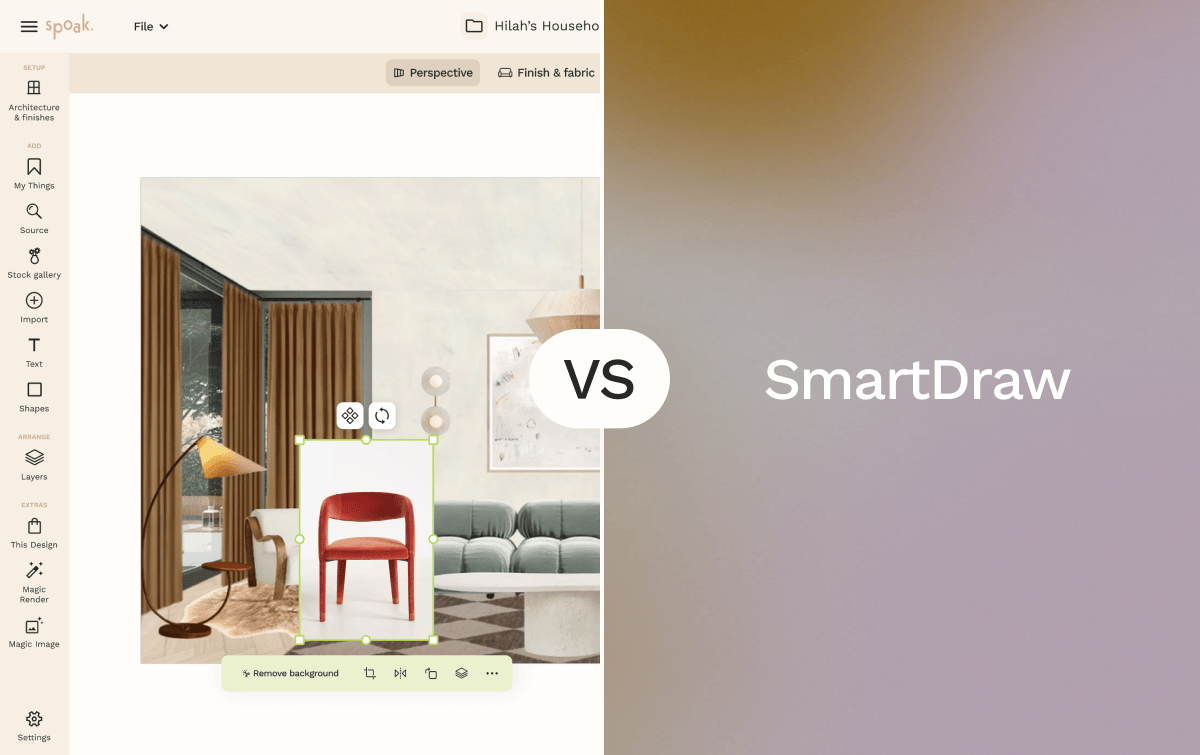
Spoak is an online interior design platform focused on room visualization, decorating, sourcing, and planning. Its core tools — Viz for lifelike room mockups, Floor Plans and Elevations for to-scale space planning, and Magic Tools for custom design generation — are built for interior designers, decorators, and homeowners managing projects from concept to completion. Spoak also combines creation tools with business and sourcing features, including integrated product sourcing, project budgeting, and client management tools designed for professional design workflows.
SmartDraw is a multi-purpose diagramming and drawing application used primarily by business professionals, facility planners, and enterprise teams. It covers more than 70 diagram types — including org charts, network diagrams, process flows, and 2D floor plans — and is designed to integrate with productivity suites like Microsoft Office and Google Workspace. SmartDraw’s floor planning tools are one category within a broader diagramming platform, rather than a dedicated interior design environment.
If you’re deciding between Spoak and SmartDraw, the right choice depends less on which tool does “more” and more on what you’re actually designing: a styled, sourced interior space, or a functional, documented floor plan for facilities, real estate, or business operations.


| Feature | Spoak | SmartDraw |
|---|---|---|
| Primary focus | Interior decorating, room visualization, sourcing, and design business tools | Multi-purpose business diagramming across 70+ diagram types including floor plans |
| Ease of use | Web-based, no download required; drag-and-drop interface across all tools | Web and desktop app; template-driven workflow suited to users familiar with diagramming tools |
| Room visualization | Lifelike room mockups via Viz; Magic Background Edit for designing in a real-room canvas; photorealistic output via Magic Tools | 2D floor plan diagrams only; no 3D room views, walkthroughs, or room mockup features |
| Floor plans | 2D floor plans with ruler measurements and elevation views | 2D floor plans with dimension labels, scalable drawing tools, and a large shape library; supports blueprint-style documentation |
| Furniture and decor sourcing | Integrated product sourcing with real brand inventory; Sourcing Supershop; Collections and Wishlists | Not included; SmartDraw’s furniture shapes are for diagrammatic use only and are not linked to purchasable products |
| Asset library | Curated furniture and decor assets linked to real product inventory | Thousands of shapes across all diagram types including furniture symbols for floor plans |
| Collaboration | Team accounts for design firms; shared project workspaces via Business Hub | Real-time collaboration via web; integrates with Microsoft Office (Word, Excel, PowerPoint), OneDrive, SharePoint, Microsoft Teams, Google Drive, Google Workspace, Confluence, Jira, Trello, Box, and Dropbox |
| Project and business tools | Project Hub (budget tracking, shop lists), Business Hub (client management, invoicing, approvals), Portfolio and Design Shop | Export to MS Office and Google Workspace; no built-in invoicing, client management, or design business tools |
| Design documentation | Mood boards, room mockups, floor plan exports, client presentation boards | High-resolution exports in PDF, PNG, SVG, and Visio format; floor plan diagrams for facilities and architectural documentation |
| Device access | Web only (all browsers) | Web (all major browsers, including Safari on macOS); Windows desktop app |
| Pricing model | Free tier available; paid plans for additional features | Free trial available; Individual plan $10.95/month (annual); Team plan $9.95/user/month (annual, 3-user minimum); Enterprise plan (custom pricing) |
| Best suited for | Interior designers, decorators, and design professionals managing full project workflows | Business professionals, facilities managers, and enterprise teams needing multi-format diagramming with floor plan capability |
Spoak is designed for beginner to professional designers, with a drag-and-drop interface that requires no prior design or diagramming experience. Creating a room mockup with Viz takes minutes, and tools like Mood Boards and the Sourcing Supershop guide users through the full decorating process without a learning curve. SmartDraw is also accessible for non-technical users, particularly those already comfortable in Microsoft Office or Google Workspace environments, but its diagramming-first interface is oriented toward documentation workflows rather than decorating or styling.
Best choice: Spoak for interior design beginners; SmartDraw for beginners who need business diagrams or facilities floor plans.
Spoak is purpose-built for this workflow. Viz creates lifelike room mockups with drag-and-drop furniture placement, Magic Tools support custom design generation and real-room editing via Magic Background Edit, and integrated sourcing connects mood board items directly to purchasable products. SmartDraw does not include mood boards, product sourcing, or any styling or decorating tools — its floor plan capability is a diagramming output, not a decorating environment.
Best choice: Spoak
For homeowners planning a renovation who want to visualize a finished space with actual furniture and finishes, Spoak’s Viz and Floor Plans tools provide a clear picture of how a room will look and feel. For homeowners whose primary goal is an accurate 2D floor plan of the space — to share with a contractor or document a layout — SmartDraw’s drawing tools produce clean, dimension-labeled floor plan diagrams with professional export options.
Best choice: Spoak for visualizing the finished interior; SmartDraw for creating a precision 2D floor plan document.
Spoak is built to support the full professional design workflow: room visualization, floor plans, mood boards, client management, invoicing, project budgeting, and a product sourcing pipeline through the Business Hub and Project Hub. SmartDraw does not include client-facing tools, invoicing, or sourcing — and its floor plan output, while accurate, is a diagrammatic document rather than a styled interior design deliverable. Designers whose client deliverables center on styled presentations, sourced product lists, and room mockups will find Spoak’s toolset more aligned with their work.
Best choice: Spoak
SmartDraw is designed for this audience. Its 70+ diagram types — covering org charts, network diagrams, HVAC layouts, process flows, and office floor plans — make it a versatile tool for business operations, facilities management, and enterprise documentation. Integrations with Microsoft Office, Microsoft Teams, Google Workspace, Confluence, Jira, and Trello support the collaborative workflows common in corporate environments. Spoak is not intended for this use case.
Best choice: SmartDraw
Spoak’s Viz tool creates styled room mockups through a drag-and-drop interface without requiring a completed floor plan first. Users can start with a blank canvas, add furniture from the asset library, and produce a photorealistic mockup quickly. SmartDraw’s visualization output is limited to 2D floor plan diagrams — it does not generate room-level visual mockups, 3D views, or styled interior imagery.
Best choice: Spoak
Pros
Cons
Pros
Cons
Choose Spoak if you’re an interior designer, decorator, or homeowner who wants to design, style, and source a space from concept to completion. Spoak’s Viz, Magic Tools, Floor Plans, and Business Hub are built to support the full interior design workflow — from first mockup to client presentation and product sourcing — in a single web-based platform.
Choose SmartDraw if you’re a business professional, facilities manager, or enterprise team member who needs multi-format diagramming capabilities with floor plan documentation as one component. SmartDraw’s integration with Microsoft Office and Google Workspace and its broad diagram library make it well-suited for operational and facilities documentation, not interior design or decorating work.
Both tools include floor plan capabilities, but they’re built for fundamentally different workflows, audiences, and deliverables.

Spoak is an online interior design platform focused on room visualization, decorating, sourcing, and planning. Its core tools — Viz for lifelike room mockups, Floor Plans and Elevations for to-scale space planning, and Magic Tools for custom design generation — are built for interior designers, decorators, and homeowners managing projects from concept to completion. Spoak also combines creation tools with business and sourcing features, including integrated product sourcing, project budgeting, and client management tools designed for professional design workflows.
SmartDraw is a multi-purpose diagramming and drawing application used primarily by business professionals, facility planners, and enterprise teams. It covers more than 70 diagram types — including org charts, network diagrams, process flows, and 2D floor plans — and is designed to integrate with productivity suites like Microsoft Office and Google Workspace. SmartDraw’s floor planning tools are one category within a broader diagramming platform, rather than a dedicated interior design environment.
If you’re deciding between Spoak and SmartDraw, the right choice depends less on which tool does “more” and more on what you’re actually designing: a styled, sourced interior space, or a functional, documented floor plan for facilities, real estate, or business operations.
| Feature | Spoak | SmartDraw |
|---|---|---|
| Primary focus | Interior decorating, room visualization, sourcing, and design business tools | Multi-purpose business diagramming across 70+ diagram types including floor plans |
| Ease of use | Web-based, no download required; drag-and-drop interface across all tools | Web and desktop app; template-driven workflow suited to users familiar with diagramming tools |
| Room visualization | Lifelike room mockups via Viz; Magic Background Edit for designing in a real-room canvas; photorealistic output via Magic Tools | 2D floor plan diagrams only; no 3D room views, walkthroughs, or room mockup features |
| Floor plans | 2D floor plans with ruler measurements and elevation views | 2D floor plans with dimension labels, scalable drawing tools, and a large shape library; supports blueprint-style documentation |
| Furniture and decor sourcing | Integrated product sourcing with real brand inventory; Sourcing Supershop; Collections and Wishlists | Not included; SmartDraw’s furniture shapes are for diagrammatic use only and are not linked to purchasable products |
| Asset library | Curated furniture and decor assets linked to real product inventory | Thousands of shapes across all diagram types including furniture symbols for floor plans |
| Collaboration | Team accounts for design firms; shared project workspaces via Business Hub | Real-time collaboration via web; integrates with Microsoft Office (Word, Excel, PowerPoint), OneDrive, SharePoint, Microsoft Teams, Google Drive, Google Workspace, Confluence, Jira, Trello, Box, and Dropbox |
| Project and business tools | Project Hub (budget tracking, shop lists), Business Hub (client management, invoicing, approvals), Portfolio and Design Shop | Export to MS Office and Google Workspace; no built-in invoicing, client management, or design business tools |
| Design documentation | Mood boards, room mockups, floor plan exports, client presentation boards | High-resolution exports in PDF, PNG, SVG, and Visio format; floor plan diagrams for facilities and architectural documentation |
| Device access | Web only (all browsers) | Web (all major browsers, including Safari on macOS); Windows desktop app |
| Pricing model | Free tier available; paid plans for additional features | Free trial available; Individual plan $10.95/month (annual); Team plan $9.95/user/month (annual, 3-user minimum); Enterprise plan (custom pricing) |
| Best suited for | Interior designers, decorators, and design professionals managing full project workflows | Business professionals, facilities managers, and enterprise teams needing multi-format diagramming with floor plan capability |
Spoak is designed for beginner to professional designers, with a drag-and-drop interface that requires no prior design or diagramming experience. Creating a room mockup with Viz takes minutes, and tools like Mood Boards and the Sourcing Supershop guide users through the full decorating process without a learning curve. SmartDraw is also accessible for non-technical users, particularly those already comfortable in Microsoft Office or Google Workspace environments, but its diagramming-first interface is oriented toward documentation workflows rather than decorating or styling.
Best choice: Spoak for interior design beginners; SmartDraw for beginners who need business diagrams or facilities floor plans.
Spoak is purpose-built for this workflow. Viz creates lifelike room mockups with drag-and-drop furniture placement, Magic Tools support custom design generation and real-room editing via Magic Background Edit, and integrated sourcing connects mood board items directly to purchasable products. SmartDraw does not include mood boards, product sourcing, or any styling or decorating tools — its floor plan capability is a diagramming output, not a decorating environment.
Best choice: Spoak
For homeowners planning a renovation who want to visualize a finished space with actual furniture and finishes, Spoak’s Viz and Floor Plans tools provide a clear picture of how a room will look and feel. For homeowners whose primary goal is an accurate 2D floor plan of the space — to share with a contractor or document a layout — SmartDraw’s drawing tools produce clean, dimension-labeled floor plan diagrams with professional export options.
Best choice: Spoak for visualizing the finished interior; SmartDraw for creating a precision 2D floor plan document.
Spoak is built to support the full professional design workflow: room visualization, floor plans, mood boards, client management, invoicing, project budgeting, and a product sourcing pipeline through the Business Hub and Project Hub. SmartDraw does not include client-facing tools, invoicing, or sourcing — and its floor plan output, while accurate, is a diagrammatic document rather than a styled interior design deliverable. Designers whose client deliverables center on styled presentations, sourced product lists, and room mockups will find Spoak’s toolset more aligned with their work.
Best choice: Spoak
SmartDraw is designed for this audience. Its 70+ diagram types — covering org charts, network diagrams, HVAC layouts, process flows, and office floor plans — make it a versatile tool for business operations, facilities management, and enterprise documentation. Integrations with Microsoft Office, Microsoft Teams, Google Workspace, Confluence, Jira, and Trello support the collaborative workflows common in corporate environments. Spoak is not intended for this use case.
Best choice: SmartDraw
Spoak’s Viz tool creates styled room mockups through a drag-and-drop interface without requiring a completed floor plan first. Users can start with a blank canvas, add furniture from the asset library, and produce a photorealistic mockup quickly. SmartDraw’s visualization output is limited to 2D floor plan diagrams — it does not generate room-level visual mockups, 3D views, or styled interior imagery.
Best choice: Spoak
Pros
Cons
Pros
Cons
Choose Spoak if you’re an interior designer, decorator, or homeowner who wants to design, style, and source a space from concept to completion. Spoak’s Viz, Magic Tools, Floor Plans, and Business Hub are built to support the full interior design workflow — from first mockup to client presentation and product sourcing — in a single web-based platform.
Choose SmartDraw if you’re a business professional, facilities manager, or enterprise team member who needs multi-format diagramming capabilities with floor plan documentation as one component. SmartDraw’s integration with Microsoft Office and Google Workspace and its broad diagram library make it well-suited for operational and facilities documentation, not interior design or decorating work.
Both tools include floor plan capabilities, but they’re built for fundamentally different workflows, audiences, and deliverables.
We are an online interior design studio for enthusiasts and professionals. Get a real-world design education, easy-to-use tools, job opportunities, and a tight-knit community. All levels welcome.
Join now


